
CV Builder
কয়েক মিনিটে পরিষ্কার, পেশাদার CV তৈরি করুন — ফরমটি পূরণ করুন, লাইভ প্রিভিউ দেখুন, তারপর প্রিন্ট করুন বা PDF হিসেবে সংরক্ষণ করুন। আপনার তথ্য আপনার নিজের ব্রাউজারেই থাকে; কোথাও আপলোড হয় না।
আপনার তথ্য
কাজের অভিজ্ঞতা
শিক্ষাগত যোগ্যতা
দক্ষতা
অ্যাকসেন্ট রং
আপনার CV এই ব্রাউজারে স্বয়ংক্রিয়ভাবে সংরক্ষিত হয়, তাই ফিরে এসে আবার সম্পাদনা করতে পারবেন। ‘সব মুছে ফেলুন’ দিলে তা মুছে যাবে।
লাইভ প্রিভিউ
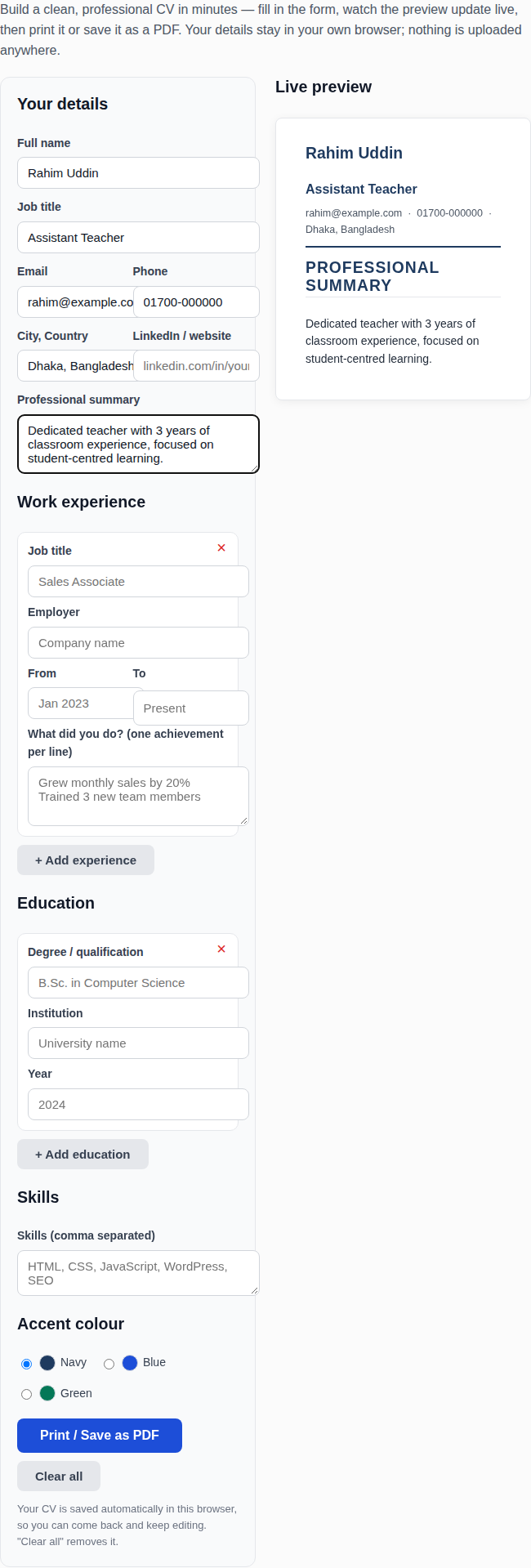
অনলাইন সিভি বিল্ডারে তথ্য পূরণ করে সিভি তৈরির উদাহরণ
How to build your CV
Fill in your details — name, job title, contact information and a short professional summary. Add your work experience and education with the + buttons, and list your skills separated by commas. The preview on the right updates as you type. Choose an accent colour, then click Print / Save as PDF and choose “Save as PDF” in the print dialog. Your draft is saved automatically in this browser, so you can close the page and come back to it later.
What makes a good CV?
Recruiters spend only a few seconds on a first scan, so clarity beats decoration. Put your newest job first, and describe what you achieved — “Grew monthly sales by 20%” — not only what you were asked to do. Keep it to one or two pages, use one clear font, and check every word: a single spelling mistake can end an application. Tailor the summary and skills to each job you apply for instead of sending the same CV everywhere.
CV tips for applicant tracking systems
Many employers filter CVs with software before a person ever reads them. Use standard section headings like “Work Experience” and “Education”, write job titles and skills exactly as the job advertisement words them, and avoid tables, text boxes and images inside the document — plain text is what the software reads best. Saving as PDF keeps your layout intact on every device.
Frequently asked questions
Is my information private?
Yes. Everything you type stays in your own browser — it is saved only in your browser’s local storage so your draft survives a page refresh. Nothing is uploaded to any server, and nobody else can see your CV.
How do I save my CV as a PDF?
Click “Print / Save as PDF”. In the print dialog that opens, choose “Save as PDF” as the destination instead of a printer. Only the CV itself prints — the form and the rest of the page are hidden automatically.
How long should my CV be?
One page if you have under five years of experience, two pages at most after that. Cut anything older than ten years unless it is directly relevant to the job, and leave out references — employers ask for them later.
Should I include a photo?
For most jobs in Bangladesh, the UK, the US and Canada, no — a photo adds nothing and can invite bias. Some employers in other countries expect one; if the job advertisement asks for a photo, add it to the printed PDF separately.